Task Management Mobile App: Designing for Real-World Productivity
In the fast-paced rhythm of modern life, a Task Management Mobile App is no longer just a luxury; it is an essential tool for organizing thoughts, tracking deadlines, and maintaining sanity. Whether you are a freelancer juggling multiple clients, a small business owner managing inventory, or a parent coordinating family schedules, the right application can transform chaos into clarity. However, not all apps are created equal. Many users dive into downloading the first popular option they see, only to find themselves frustrated by cluttered interfaces, unintuitive workflows, or features that add complexity rather than solving problems.
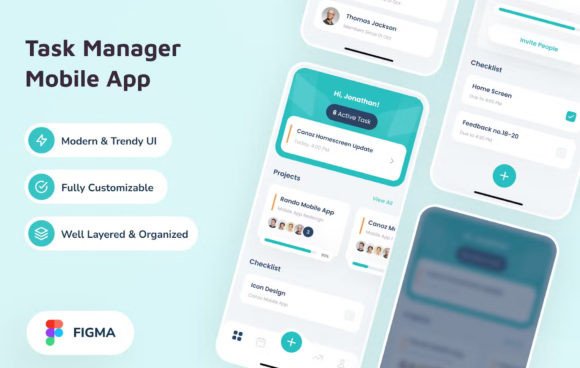
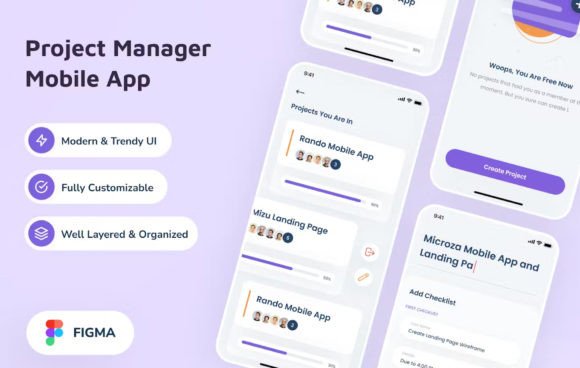
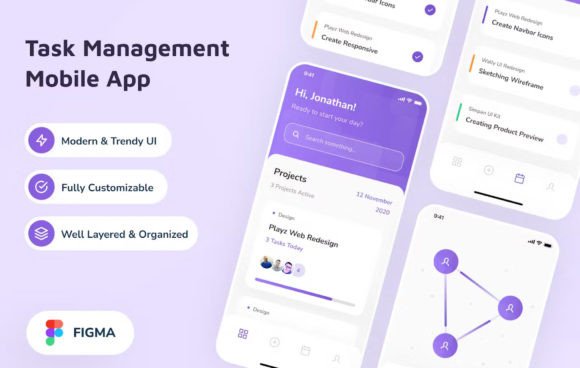
The goal of this guide is to help you navigate the landscape of task management tools with a critical eye. We will explore what makes a truly effective mobile experience, highlight common pitfalls that hinder productivity, and discuss how a well-crafted design—like the clean, trendy UI tailored for iPhone X screens—can make a tangible difference in your daily efficiency.
Understanding the Core Value of Task Management
A Task Management Mobile App serves as an external brain for your commitments. Its primary function is to capture tasks, organize them logically, and remind you when action is required. The value lies not in the sheer number of features but in how seamlessly the app integrates into your existing workflow. For professionals and creators, the ability to quickly log an idea while on the go or review a project timeline during a commute is invaluable.
When people express interest in these tools, they are often seeking relief from cognitive overload. They want a system that reduces anxiety by ensuring nothing slips through the cracks. Yet, the market is saturated with options ranging from simple checklists to complex project management suites. The challenge is finding the sweet spot where functionality meets usability without overwhelming the user.
Common Mistakes When Choosing and Using Task Apps
One of the most frequent errors users make is prioritizing feature density over simplicity. It is tempting to choose an app that offers Gantt charts, time tracking, calendar syncing, and team collaboration all at once. However, if the interface becomes cluttered, the app defeats its own purpose. A clean, trendy, modern UI design is not just about aesthetics; it is about reducing friction. When buttons are hard to find or menus are nested too deeply, you spend more time navigating the app than actually completing tasks.
Another overlooked detail is the lack of mobile-first optimization. Many applications are essentially desktop software squeezed onto a small screen. This leads to tiny tap targets, illegible text, and navigation gestures that feel unnatural on a touchscreen. If you are designing or selecting an app, ensure it respects the constraints and capabilities of mobile devices, such as the specific screen real estate of an iPhone X. Well-organized layers in the design process ensure that every element has a clear hierarchy, making the user journey intuitive.
Users also often underestimate the importance of customization. Everyone works differently. Some prefer strict time-blocking, while others thrive on flexible lists. Rigid apps force users to adapt their natural habits to the software, which often leads to abandonment. A better approach is to look for tools that offer flexibility in how tasks are viewed and managed, allowing you to tailor the experience to your unique needs.
How Poor Design Impacts Efficiency and Satisfaction
The consequences of choosing a poorly designed task manager extend beyond mere annoyance. When an app is difficult to use, it creates mental resistance. You might delay logging a new task because the process feels tedious, leading to lost ideas and forgotten deadlines. Over time, this erodes trust in the system. If you cannot rely on your tool to hold your commitments, you revert to unreliable methods like sticky notes or memory, increasing the risk of errors.
Furthermore, bad design affects communication and collaboration. In a professional setting, if your team struggles to understand the status of a project due to confusing visual cues, miscommunication ensues. Clear visual indicators, logical grouping, and accessible information are crucial for keeping everyone aligned. A design that utilizes free fonts effectively and maintains a consistent style ensures that information is digested quickly, enhancing overall team velocity.
Cost is another factor. Many users pay for premium subscriptions to apps they eventually stop using because the core experience is flawed. Investing time in evaluating the user interface and user experience (UI/UX) before committing financially can save money in the long run. The initial cost of a subscription should be weighed against the long-term value of increased productivity and reduced stress.
Practical Advice for Selecting the Right Tool
To avoid these pitfalls, start by defining your specific requirements. Do you need a simple personal to-do list, or do you require robust project management capabilities? Once you have clarity, test the app thoroughly. Look for a design that feels responsive and immediate. Does the interface load quickly? Are the animations smooth and helpful, or distracting?
Pay close attention to the organization of elements. A high-quality design will feature well-organized layers that separate primary actions from secondary settings. This hierarchy guides your eye naturally to the most important tasks. Additionally, check if the app supports the fonts and typography styles that suit your reading preferences. Legibility is paramount for long-term use.
If you are a designer or developer looking to build your own solution, starting with a solid foundation is key. Utilizing resources like a Figma source file with pre-built components can accelerate your development process significantly. These templates often include documentation for font links and design specifications, ensuring consistency across different screens and states. By leveraging a ready-to-kickstart design process, you can focus on refining the logic and functionality rather than struggling with basic layout issues.
What to Check Before Making a Decision
Before downloading or purchasing a Task Management Mobile App, consider the following checklist:
- Interface Clarity: Is the layout uncluttered? Can you identify the main action items within seconds?
- Mobile Optimization: Does the app feel native to your device? Test the touch targets and scrolling behavior.
- Customization Options: Can you adjust views, colors, or notification settings to match your workflow?
- Performance: Does the app lag when switching between tasks or loading large lists?
- Support and Updates: Is the developer active? Regular updates indicate a commitment to improving the user experience.
By focusing on these practical aspects, you can avoid the trap of "feature bloat" and select a tool that genuinely enhances your life. Remember, the best task manager is the one you actually use consistently. A design that balances modern trends with functional simplicity will encourage daily engagement, turning your mobile device into a powerful ally in achieving your goals. Whether you are managing a startup or simply trying to get your weekend chores done, the right application provides the structure needed to move forward with confidence.