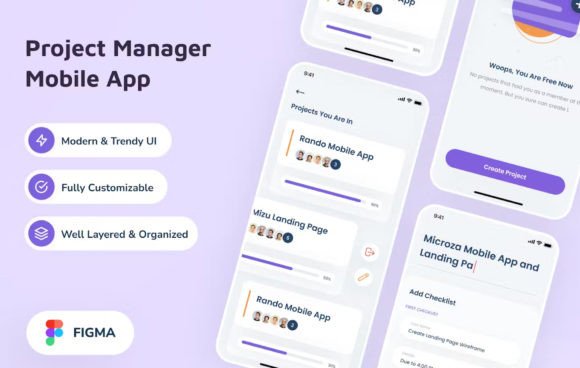
Project Manager Mobile App: Modern UI Design
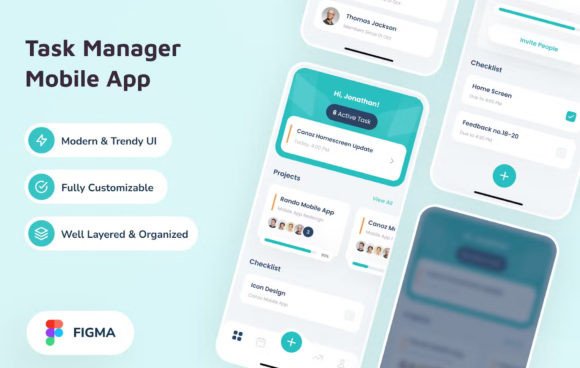
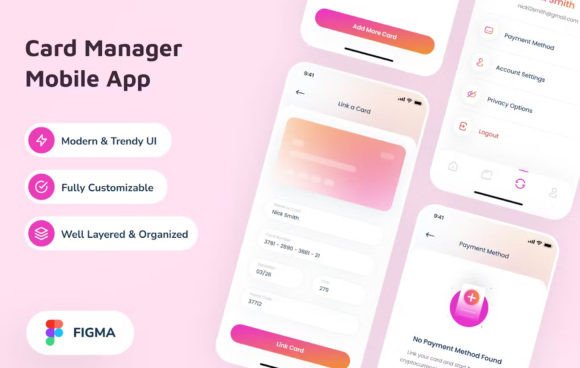
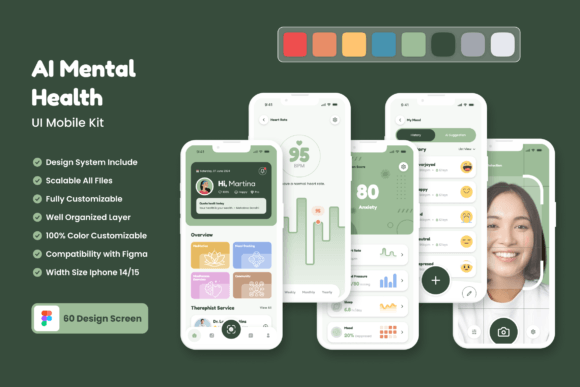
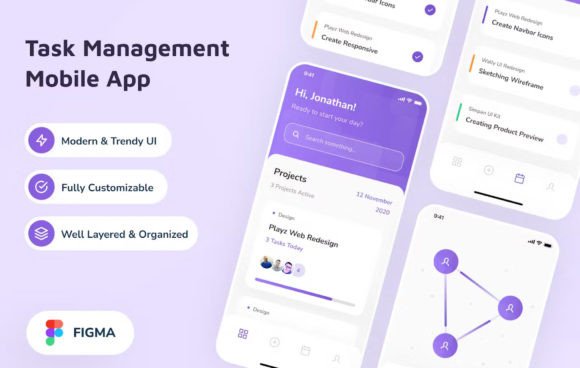
In the fast-paced world of project management, the tools we use must be as agile and organized as the workflows they support. The Project Manager Mobile App design template represents a significant shift towards clarity and efficiency in mobile interfaces. Designed specifically for the iPhone X screen size, this resource offers more than just a visual mockup; it provides a structured foundation for building applications that users actually enjoy navigating. Whether you are a seasoned designer looking to speed up your process or an entrepreneur prototyping your next big idea, this kit delivers a clean, trendy, and modern aesthetic that aligns with current digital standards.
The visual characteristics of this design are immediately striking due to their restraint. In an era where apps often suffer from cluttered dashboards and overwhelming data points, this interface prioritizes whitespace and logical grouping. The layout utilizes a sophisticated grid system that ensures every element, from task lists to calendar views, has room to breathe. This approach is not merely about making things look "pretty"; it is about reducing cognitive load. When a user opens a project management tool, they need instant access to critical information without wading through visual noise. The design achieves this by leveraging high-contrast elements and intuitive iconography that guide the eye naturally through the hierarchy of tasks.
Mastering Visual Hierarchy and Brand Perception
A successful mobile application relies heavily on how well it communicates importance through its typography and layout. The Project Manager Mobile App demonstrates a masterful use of modern typography to establish a clear visual hierarchy. By pairing a robust sans serif font for headings with a highly legible typeface for body text, the design creates a rhythm that makes scanning information effortless. This distinction is crucial for productivity tools where users often skim through updates, deadlines, and team messages.
Consider the impact of these choices on brand perception. A disorganized interface suggests a disorganized company, while a polished, cohesive design signals professionalism and reliability. For small business owners and entrepreneurs, the appearance of your app can be the deciding factor in whether a client trusts you with their projects. The free fonts included in this package are carefully selected to strike a balance between personality and neutrality. They function as a versatile commercial font solution, ensuring that your brand identity remains consistent across different screens and devices without sacrificing readability.
Furthermore, the design assets provided allow for seamless integration into broader branding strategies. If you are developing a suite of products, maintaining consistency in your typeface usage across web design, social media graphics, and mobile applications is essential for recognition. This template serves as a central hub for those design decisions, offering a reference point for color palettes, button states, and spacing rules. It transforms abstract brand guidelines into tangible, functional components that developers can implement immediately.
Evaluating Fit and Typography Pairings
Choosing the right design foundation is about more than just picking what looks good in a screenshot; it requires evaluating how well the assets fit your specific project needs. While the Project Manager Mobile App template is built with a general audience in mind, its flexibility allows it to adapt to various industries. From construction and software development to event planning and creative agencies, the core structure supports diverse content types. However, before diving into customization, it is wise to test the included font pairings against your own content.
Start by reviewing the included styles within the Figma source file. Check how the sans serif font handles long paragraphs versus short status updates. Does the line height feel comfortable? Is the contrast sufficient for users viewing the app in bright sunlight? These practical considerations are often overlooked but are vital for user engagement. If you plan to expand the app's functionality, consider how a display font might work for promotional banners or milestone celebrations within the app, while keeping the primary interface strictly utilitarian.
When testing font pairings, avoid the temptation to mix too many styles. Stick to the principle of using one primary typeface for body copy and perhaps one secondary style for emphasis or navigation. The included documentation provides links to the free fonts used, allowing you to explore their full character sets. This is particularly useful if your project involves non-Latin characters or specialized symbols common in technical fields. Remember, a premium font feel does not always require a premium price tag; often, it comes down to how thoughtfully the type is applied within the layout.
From Concept to Launch: Practical Implementation
One of the most valuable aspects of this resource is the well-organized layer structure within the Figma file. For designers working under tight deadlines, finding the right asset among hundreds of layers can be a frustrating experience. Here, every component—from the navigation bar to individual task cards—is named logically and grouped intuitively. This organization accelerates the handoff process to developers, reducing the likelihood of miscommunication and implementation errors. It turns a static design into a dynamic blueprint ready for coding.
For those venturing into editorial design or creating marketing materials based on the app's features, the clean lines and modern aesthetic translate beautifully to print and digital ads. Imagine a brochure showcasing your project management solution; the same visual language used in the app can be replicated in your packaging design or promotional flyers to create a unified brand experience. The versatility of the design means you aren't locked into a single format. You can extract icons, color swatches, and typographic treatments to build a comprehensive brand identity system.
Readability remains the cornerstone of any effective mobile interface. As you customize the Project Manager Mobile App, keep in mind the context in which it will be used. Users might be checking their tasks while commuting, standing at a job site, or working late at night. Ensure that your chosen colors maintain sufficient contrast ratios and that text sizes are large enough to be read without straining. The template provides a solid baseline, but your final adjustments should be guided by real-world testing scenarios.
Ultimately, the goal is to create a tool that feels like an extension of the user's own workflow. By utilizing this design kit, you are starting with a framework that respects the user's time and attention. The combination of a trendy, modern UI and a focus on functional typography ensures that the final product is not only visually appealing but also highly effective. Whether you are launching a startup or refining an existing product, these design assets offer the professional polish needed to stand out in a crowded market.
As you move forward with your project, remember that great design is iterative. Use the Figma source file as a living document, experimenting with different layouts and interactions while adhering to the core principles of clarity and organization. With the right approach, the Project Manager Mobile App can evolve into a powerful platform that drives productivity and fosters collaboration. The journey from concept to launch is smoother when you have the right tools and a clear vision, and this design kit provides exactly that foundation.