Almonde Embroidery Design: Elevating Personalized Text on Fabric
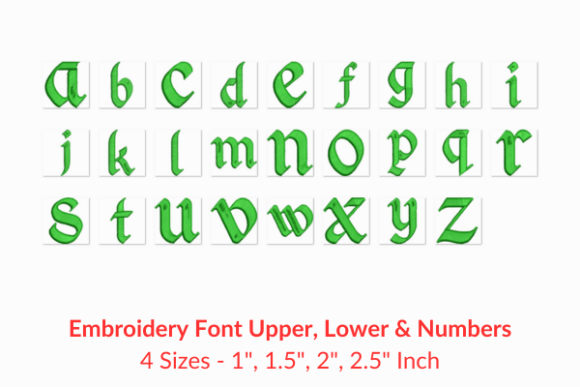
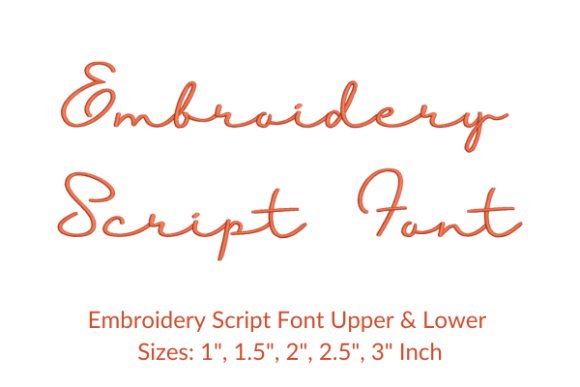
When you look for a way to add a personal touch to garments, home decor, or custom gifts, the font you choose often makes the difference between a professional finish and an amateur attempt. The Almonde Embroidery Design is a high-quality embroidery font specifically crafted to help creators personalize their designs with elegance. Whether you are stitching a name onto a baby onesie, commemorating a wedding date on a tote bag, or adding an inspirational quote to a quilt, this design set offers the versatility needed to bring your vision to life on any fabric.
However, even the most beautiful digital pattern can fail if not understood correctly before the machine starts running. Many enthusiasts dive straight into downloading files without considering the technical nuances that affect stitch quality and project success. Understanding the specifics of the Almonde Embroidery Design is crucial for avoiding wasted thread, damaged hoops, and disappointing results.
Understanding the Scope of the Design Set
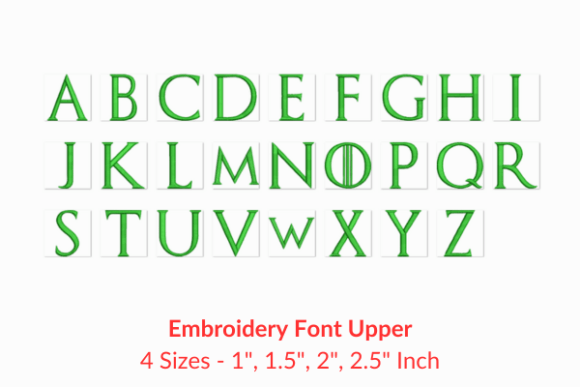
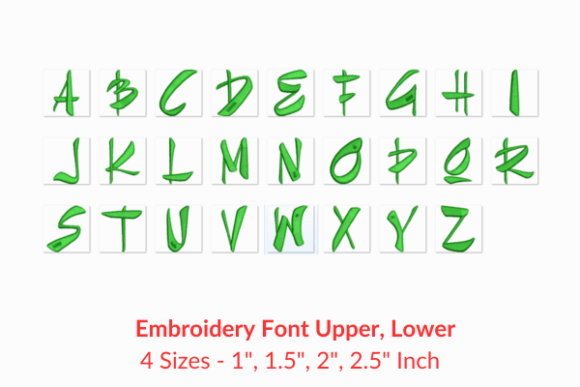
The primary appeal of the Almonde Embroidery Design lies in its comprehensive nature. It is not merely a single letter but a complete set containing 156 distinct characters. This extensive library ensures that you have every letter, number, and symbol necessary for complex projects. Yet, a common misunderstanding arises regarding the dimensions listed in product descriptions.
Often, buyers see a summary stating specific sizes and stitch counts, assuming these figures apply uniformly to every character in the alphabet. This is a critical oversight. The information provided typically reflects the dimensions for the letters "A" and "a" in each available size. These serve as a baseline reference, not a guarantee for the entire set. For instance, the letter "W" will naturally occupy more horizontal space than "I," and its stitch count will be significantly higher. Similarly, capital letters generally require more stitches than their lowercase counterparts.
If you plan a dense layout or work within tight margins, relying solely on the "A" and "a" metrics can lead to spacing errors. Your text might run off the edge of the hoop or crowd other design elements. To avoid this, it is essential to consult the detailed dimension data. Most download packages include a "More Sewing Info PDF" button. Clicking this provides the full breakdown for all 156 letters, allowing you to calculate exact hooping requirements and thread consumption accurately.
Avoiding Format Compatibility Pitfalls
One of the most frequent issues encountered by both beginners and seasoned professionals is file format incompatibility. The Almonde Embroidery Design comes with multiple embroidery file formats, which is a significant advantage. However, simply having the files does not mean they are ready to use on your specific machine without verification.
Embroidery machines from different manufacturers—such as Brother, Janome, Bernina, or Singer—often require proprietary file extensions like .PES, .JEF, .ART, or .DST. While many modern machines support a wide range of formats, older models or specific industrial setups may be restrictive. A common mistake is downloading the bundle and attempting to load a file that the machine cannot read, resulting in error messages or corrupted data transfer.
To ensure a smooth workflow, check your machine's manual or software specifications before purchasing. If your machine requires a specific format not included in the standard download, you may need conversion software. Attempting to force a file through unsupported converters can alter the stitch sequence, leading to tangled threads or distorted letter shapes. By confirming compatibility upfront, you save time and prevent frustration during the production phase.
Stitch Density and Fabric Selection
The aesthetic success of the Almonde Embroidery Design also depends heavily on the relationship between stitch density and fabric type. Because this font is designed for names, dates, and quotes, it often involves intricate curves and varying stroke widths. Applying a design intended for medium-weight cotton directly onto delicate silk or thick denim without adjustment can ruin the fabric or the design.
On lightweight fabrics, high stitch density can cause puckering, where the material gathers around the stitches, creating an uneven surface. Conversely, on heavy fabrics, insufficient stabilization can lead to loose loops or sinking stitches. Before starting a large project, always test the design on a scrap piece of the same fabric you intend to use. Adjust your stabilizer choice accordingly; a cut-away stabilizer might be necessary for stretchy knits, while a tear-away could suffice for woven cottons.
Furthermore, consider the scale of your text. Small text embroidered with a high-stitch-count font can become illegible if the needle holes obscure the details. If you are working on small items like keychains or patches, verify that the smallest size of the Almonde Embroidery Design remains readable at that scale. Sometimes, increasing the size slightly improves clarity without compromising the overall composition.
Maximizing Value for Creators and Businesses
For entrepreneurs, freelancers, and small business owners, efficiency is just as important as aesthetics. The Almonde Embroidery Design offers a versatile tool for branding and customization, but its value is maximized only when used strategically. One overlooked aspect is the cost of thread relative to stitch count. Since the stitch count varies per character, a logo or long quote using mostly wide letters will consume significantly more thread than one composed of narrow characters.
Accurate quoting for clients requires precise knowledge of these variables. If you estimate costs based on the average stitch count of "A" and "a," you risk underpricing jobs that feature complex letter combinations. Using the full dimension details allows you to create accurate quotes that account for actual material usage and machine time. This transparency builds trust with clients and ensures your business remains profitable.
Additionally, maintaining a consistent brand image means ensuring that the font renders perfectly every time. Regularly updating your embroidery software and checking for firmware updates on your machine can prevent minor glitches that might distort the elegant curves of the Almonde style. Treat your digital assets as valuable tools; organize your files, keep backups, and maintain a library of tested settings for different fabric types.
Final Thoughts on Implementation
The Almonde Embroidery Design is a powerful resource for anyone looking to add sophisticated text to their textile projects. Its ability to render names, dates, and quotes beautifully makes it a staple for personalized gifts and commercial products alike. However, the true quality of the final result relies on your preparation and attention to detail.
By taking the time to review the full 156-letter dimension guide, verifying file format compatibility, and testing on appropriate fabrics, you can avoid the common pitfalls that plague many embroidery projects. Remember that the summary statistics are just a starting point; the depth of information available in the accompanying PDF is your roadmap to perfection. With careful planning and the right approach, this embroidery font will consistently deliver professional, high-quality results that stand out on any fabric.